

Gateways
A Gateway Group is a pool of Zilla instances running on Kubernetes: the runtime where API Products are deployed and executed. A group belongs to one environment and one region, with instances spread across availability zones for high availability. It acts as the entry point for API traffic, handling routing, authentication, rate limits, and observability.
Each Gateway must be attached to an environment using a bootstrap token, ensuring secure registration and trusted communication with the console's control plane.
Monitoring Gateway Groups
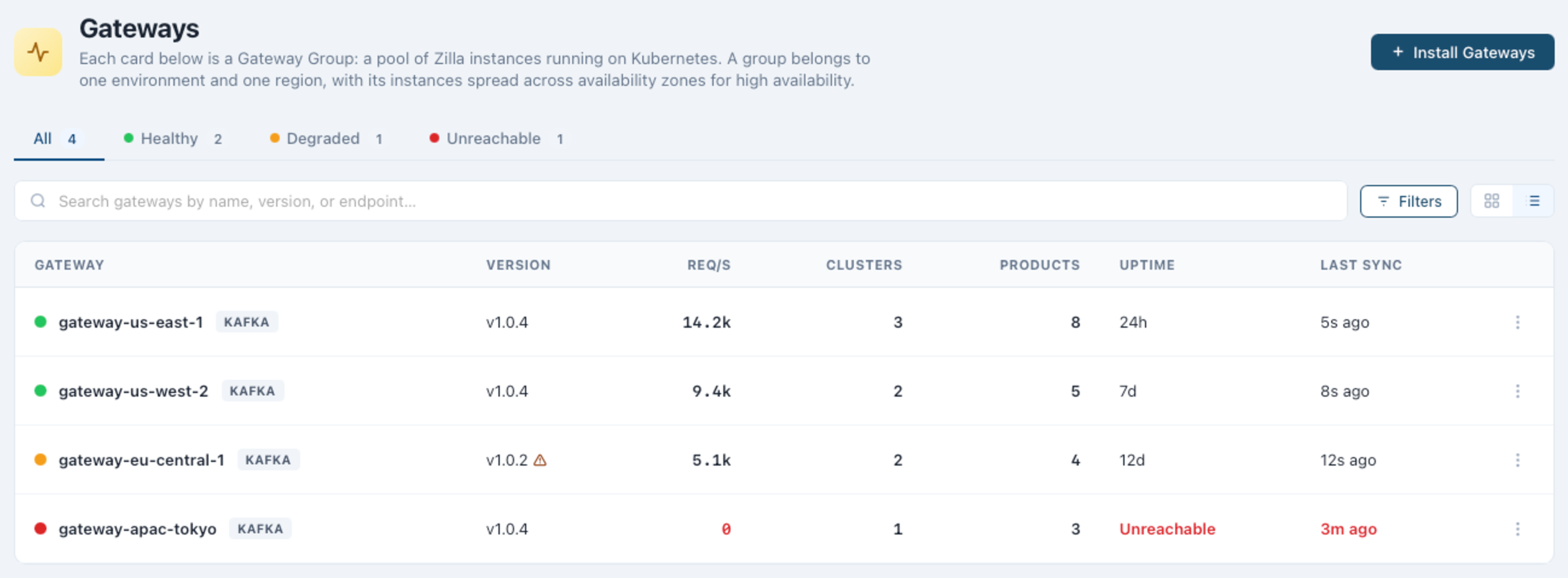
Each Gateway Group card shows its health status (Healthy, Degraded, or Unreachable), the protocol it fronts (kafka, mqtt, rest, grpc, or mcp), its version, instance count, and how many clusters and API Products it's connected to. Filter the list to Healthy, Degraded, or Unreachable, search by name, version, or endpoint, or switch to a table view for the same data in columns: name, version, requests/sec, clusters, products, instances, and last sync.
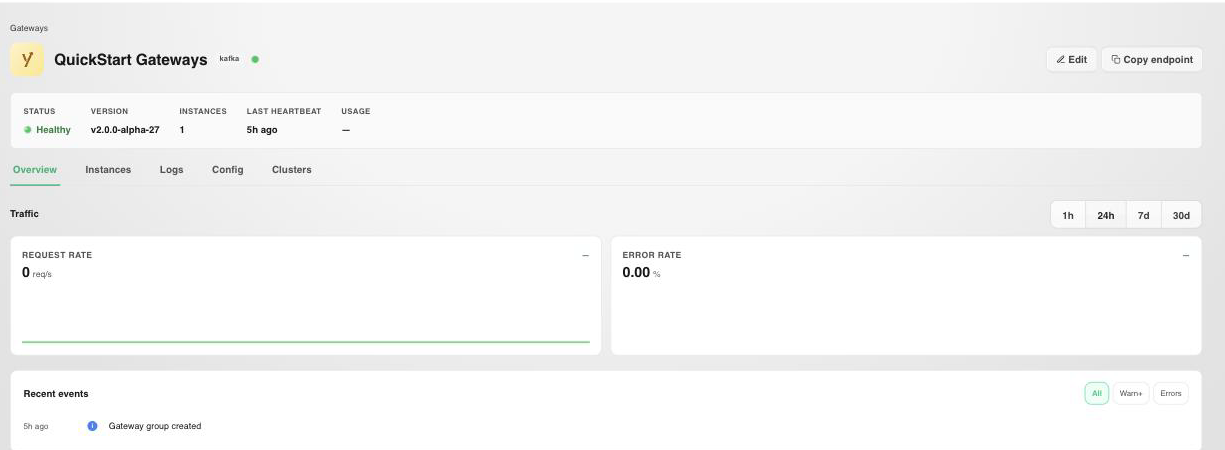
Selecting a Gateway Group opens its Overview, with live request rate and error rate charts and a recent events feed, alongside the Instances, Logs, Config, and Clusters tabs below.
What You Can See
- Install covers attaching a new Gateway to an environment with a bootstrap token.
- Configuration covers viewing and editing a Gateway Group's resolved YAML configuration.
- Connections covers the Kafka clusters and API Products a Gateway Group serves.
Next Steps
- Kafka Clusters covers browsing a cluster once it's reachable through an attached Gateway.
- API Catalog covers deploying a published API Product to a Gateway.
- Environments covers issuing the bootstrap token a Gateway needs to attach.