

Applications
Applications manage the identity and credentials of consuming services. They give internal and external clients a secure, governed way to discover, subscribe to, and consume API Products, with usage tracked per subscription.
Finding Applications
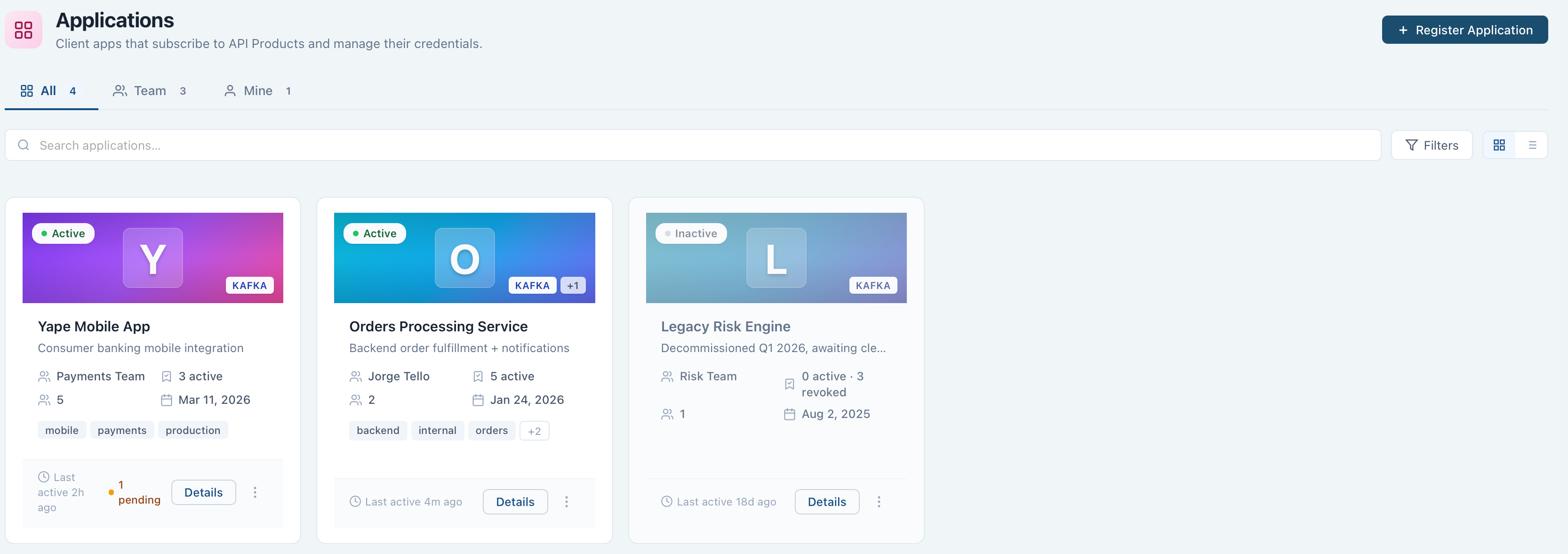
Each Application shows its protocol (Kafka is the only choice today), owning team, status, active subscription count, member count, and last-active date. Filter the list to All, Team, or Mine, or search by name.
Application Detail
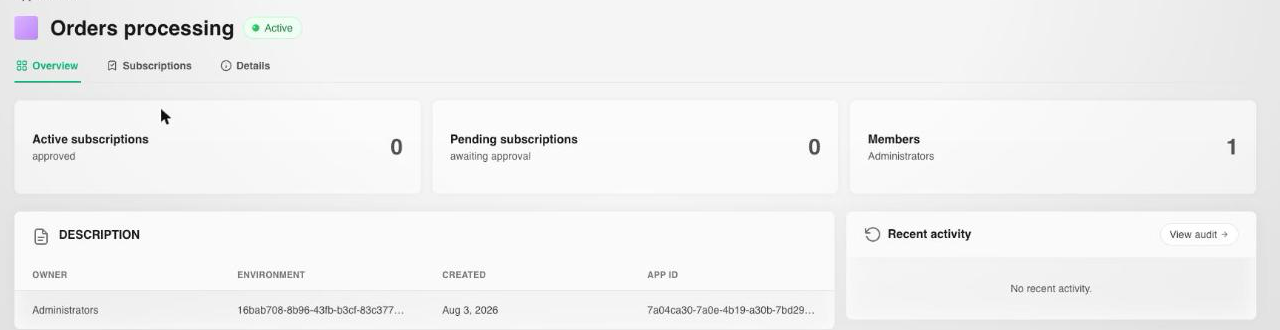
Opening an Application shows three tabs:
- Overview: active and pending subscription counts, member count, description and metadata, and recent activity for this Application specifically.
- Subscriptions: every API Product subscription this Application holds, filterable by status (Pending, Approved, Paused, Rejected, Revoked, Expired).
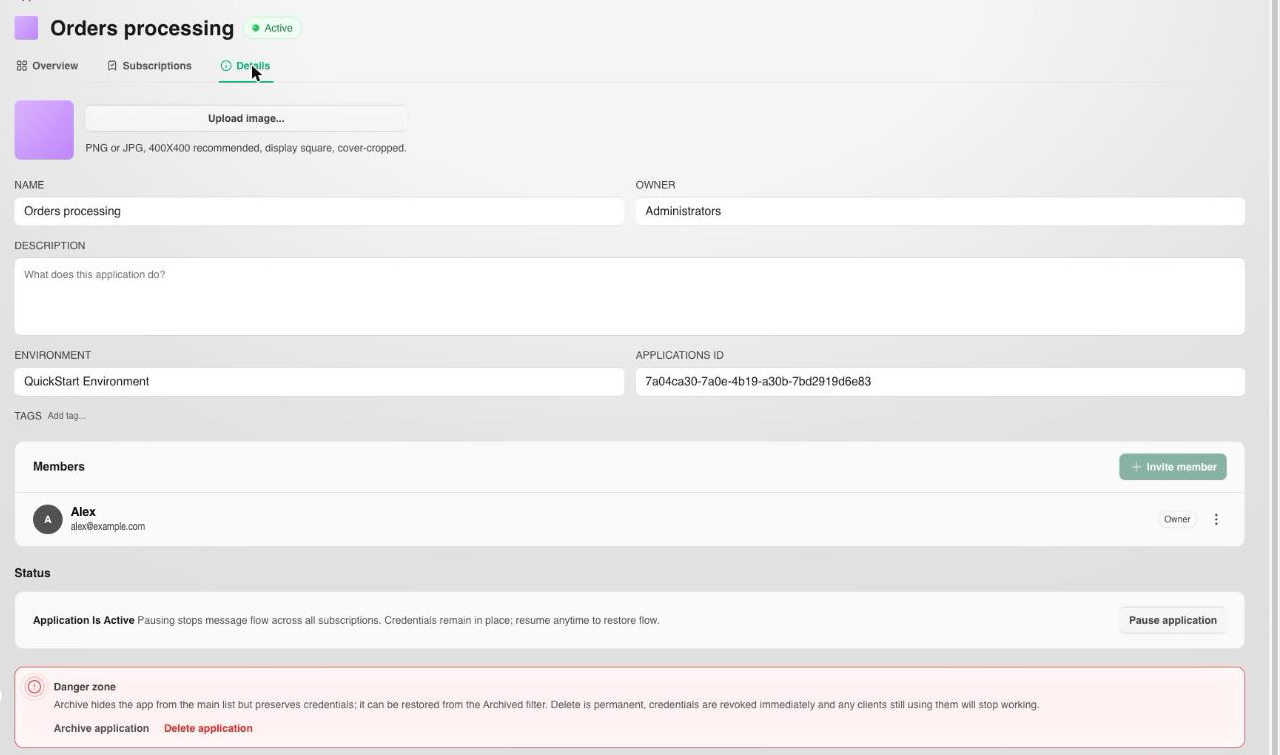
- Details: application metadata, Members, and lifecycle controls.
Create an Application
- Navigate to
Applications. - Select Register Application.
- Enter a name and the details requested.
- Confirm to create it.
Once created, you can create subscriptions to API Products under the Application.
Manage Subscriptions
From an Application, you can:
- Browse the API Catalog and create new subscriptions to its API Products and plans.
- View existing subscriptions and their status.
A subscription defines which API Products the Application is authorized to access. Upon subscribing, the console automatically generates and securely distributes the credentials needed for access, such as API keys and secret keys.
Pause and Resume an Application
From an Application's Details tab, select Pause application to stop message flow across all its subscriptions without deleting them; credentials remain in place. Resume it anytime to restore flow.
Archive or Delete an Application
Warning
Archive and delete both live in the Details tab's danger zone. Archiving hides the Application from the main list but preserves its credentials, and it can be restored from the Archived filter. Deleting is permanent: credentials are revoked immediately and any clients still using them stop working.
- Navigate to
Applications. - Select the desired Application, then its
Detailstab. - Choose Archive application to hide it reversibly, or Delete application to remove it permanently.
Next Steps
- Members covers who can view and manage an Application, and their roles.
- Subscriptions covers creating and managing an Application's subscriptions to API Products.