

Access
Access manages who can sign in to Zilla Console and what they can do once they're in: individual users, the teams they belong to, and any invitations still awaiting acceptance. It has three tabs: Users, Teams, and Invitations.
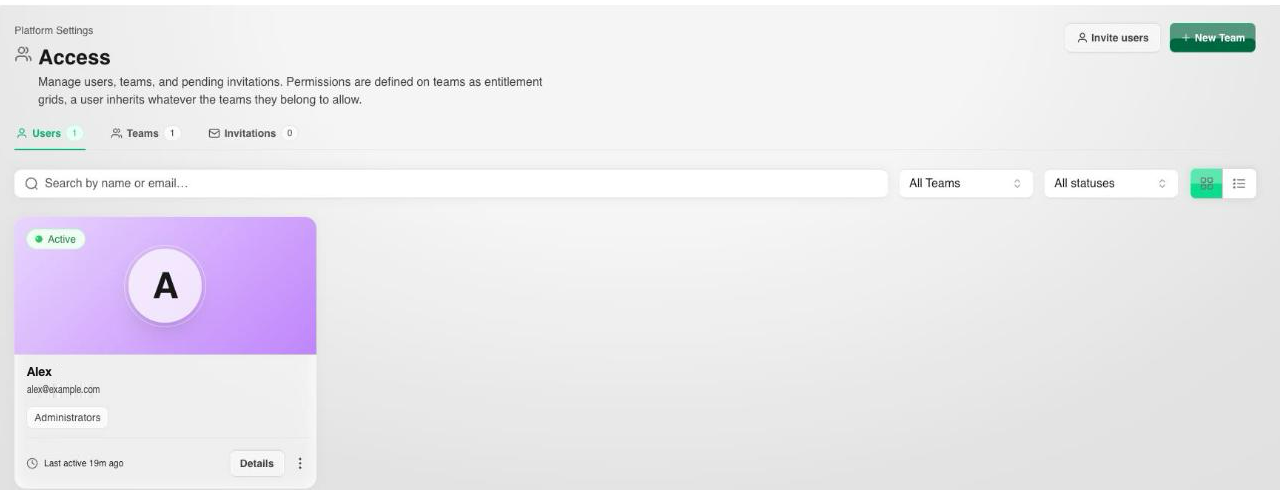
Select Invite users to send a new invitation, or New Team to create a team.
Users
Every person with access to the console has a user account, tied to the identity provider configured under Security when SSO is enabled, or to a directly created account otherwise. Open a user to see their profile and the teams they belong to.
Teams
A team groups users under a shared set of role assignments. Opening a team shows three tabs:
- Entitlements: the team's Role assignments, added with Add role, plus a read-only Effective access view computed from those assignments.
- Users: the team's members.
- Details: the team's own metadata.
Assigning a user to a team is the usual way to grant access, rather than granting roles to individual users one at a time.
Invitations
An invitation reserves a place for a user who hasn't yet accepted access to the organization. A pending invitation doesn't count as an active user until it's accepted.
Select Invite users and provide:
- Email addresses: one or more, comma-separated, so a batch can be invited at once.
- Add to team: the team the invitees join on acceptance.
- Invite expires after: how long the invitation stays valid.
From the Invitations tab you can resend or revoke an invitation that hasn't been accepted.
Next Steps
- Organization covers the organization-wide identity and license these access grants apply within.
- Audit Log covers reviewing role assignment and team membership changes after the fact.